Safari Wishlist (2025)
Contents
The Safari browser has come a long way in recent years, but there are still a few CSS/HTML features that I’d like to see added that would make it even better for web developers and users alike. I’ve previously shared my wishlists for Safari in Summer 2020, and again in Summer 2022, and I’m happy to look back and see that many of my wishes have since been added to Safari. Now that we’re deep into 2025, it’s time to revisit and update that list!
1. Support for Open & Close Transitions with <details>
Adam Argyle explains and demonstrates this best and I’d love to see Safari support the open and close transitions for the <details> element. This would allow developers to create smooth animations when expanding or collapsing details sections, enhancing the user experience - all without the need for JavaScript.
2. Support for Invoker Commands
The HTML commandfor/command attributes, as proposed by the Open UI group is already supported in Chrome/Edge, but not Safari. This would allow developers to create custom commands for elements, such as a button that opens a modal without the need for JavaScript. For now though, at least we have an awesome invokers-polyfill courtesy of Keith Cirkel which works great with Safari and Firefox.
Note: The HTML commandfor/command attributes is testable via Developer Feature Flags in Safari though it didn’t seem to work for me.
3. Support for the prefers-reduced-transparency Media Query
The prefers-reduced-transparency CSS media feature is used to detect if the user has requested the web content uses less transparency.
This would be very useful for creating a more accessible experience for users who may have difficulty with transparency effects. A pull requests for this feature had been submitted to WebKit but has unfortunately been closed due to a potential fingerprinting risk. I really hope this can be revisited in the future!
4. Customizable Select Support
Chrome 135 added appearance: base-select to the select element, which allows customizing the appearance of the select element with custom styles and HTML opening all kinds of possibilities. MDN has a great guide on how to use it.
5. Textarea field-sizing CSS
The field-sizing CSS property allows form controls such as <textarea> to be sized based on their content. Learn more at Web Platform Features Explorer.
6. CSS Anchor Positioning
Anchor positioning was added to Chrome, Chrome Android, and Edge in Chromium 125. This makes it possible to position elements relative to an anchor element, which is a great way to create more flexible and accessible interfaces. It’s great to hear that it’s coming to Safari in iOS 26, but for now we can make do with this awesome polyfill.
7. Scroll-driven Animations
I love the scroll-driven animations in Chrome - you can really enhance interfaces without the need for a JavaScript library, and I’m happy to hear that they’re coming to Safari in iOS 26 this fall!
8. Low-data Mode JavaScript API
A ‘Low Data Mode’ has been available in iOS Network Settings for a few years now. Setting this will disable automatic app updates, background iCloud syncing and lower the video/audio streaming quality in some apps. It’d be great if this setting was available to web developers via a JavaScript API.
I requested this feature via Feedback Assistant - you can too.
9. Support for the prefers-reduced-data Media Query
Related to the request above, the prefers-reduced-data CSS media feature is used to detect if the user has requested the web content uses less data.
This would be very useful to use smaller file-size or no background images, or default to fallback fonts instead of downloading heavy custom fonts.
10. View Source Mode / Safari Web Inspector
There are a few simple ‘view source’ third-party apps in the App Store for this, but it’d be really nice to see a more feature-rich native option for debugging sites with iPadOS. Ideally it should have a JavaScript console, network page resources and element inspector tabs. As an iPad Pro-owning web developer I’d like to be able to do more work/website testing on my iPad without needing to use my laptop/desktop.
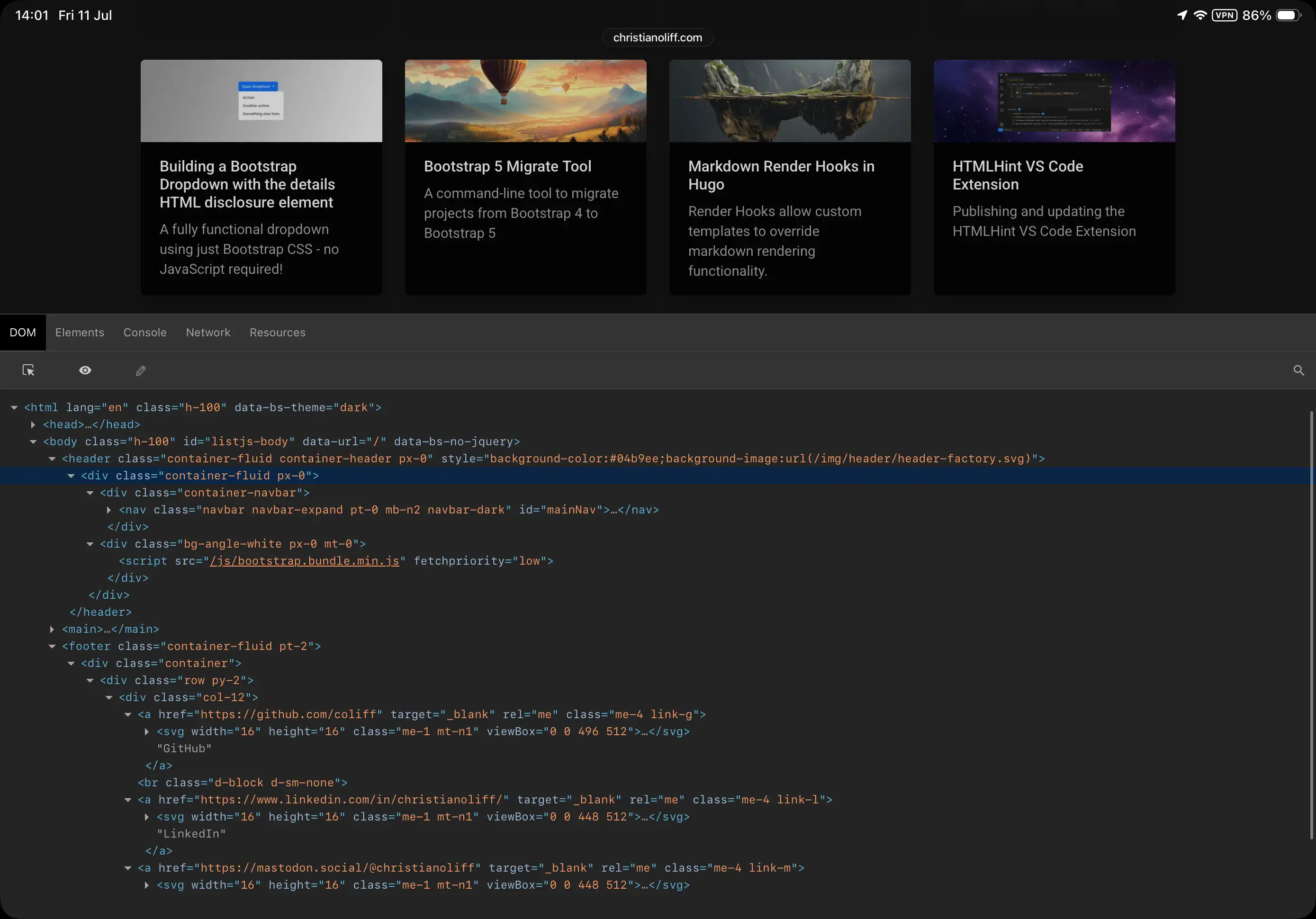 Web Inspector App for iPad (iOS 26 Developer Beta)