DESIGN.md VS Code Extension
Contents
I’ve been working a lot with DESIGN.md files recently. A DESIGN.md file describes a design system: YAML front matter holds the design tokens (colors, typography, rounded corners, spacing and components) and the markdown body explains how to use them. I was surprised to find that there wasn’t a VS Code extension offering linting, autocomplete and a rich preview for them, so I built one.
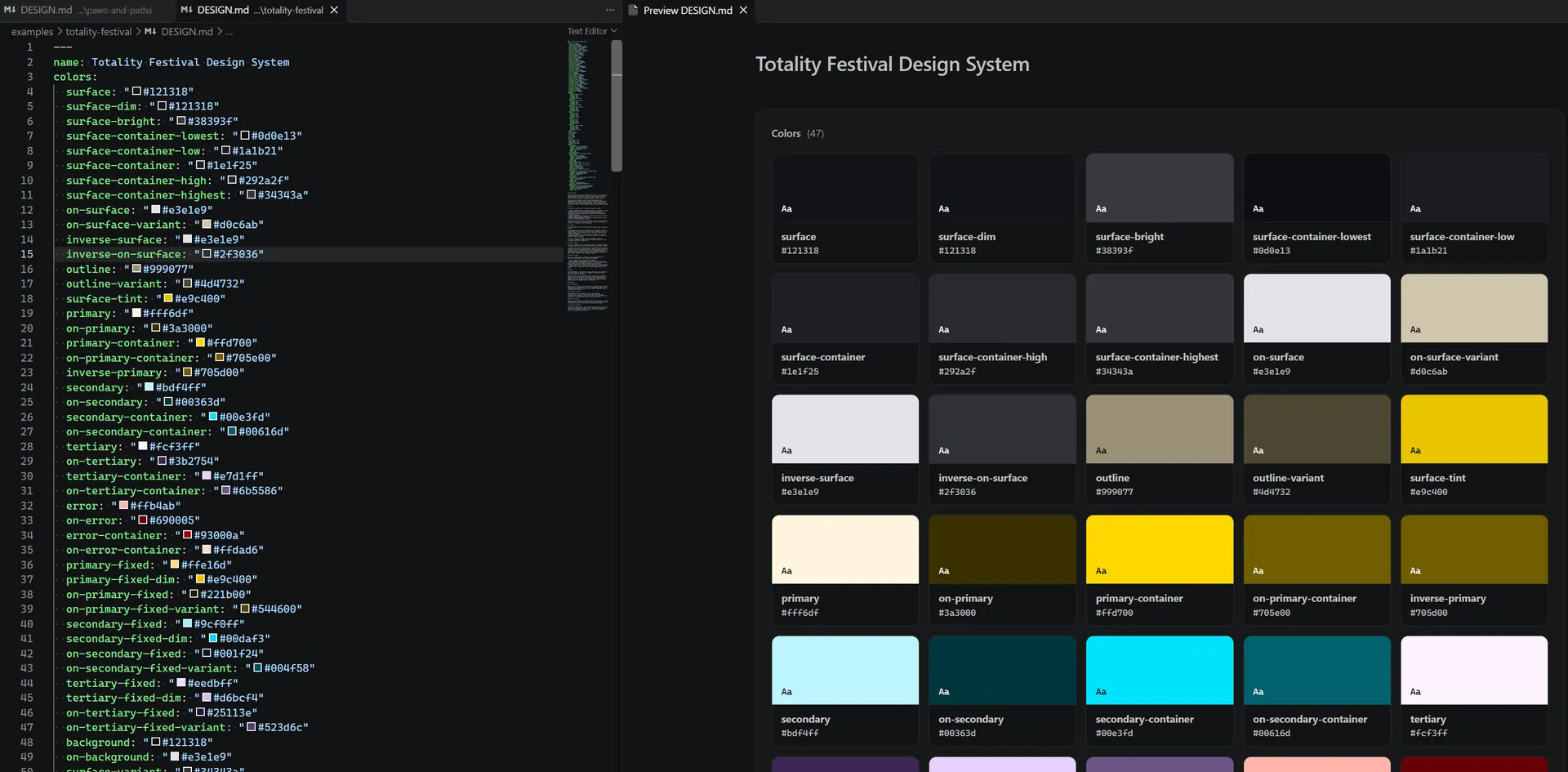
Open any file named DESIGN.md and the extension checks it as you type, helps you write token references, and can show the whole design system as a visual preview beside the editor.
Features
- Linting with the official
@google/design.mdlinter. Broken token references, missing primary colors, low contrast, unused tokens and out-of-order sections show up in the Problems panel as you type. - Front matter checks for a missing or empty
nameand duplicate keys, each flagged on the exact line. - Quick fixes to add a missing
nameand to reorder sections into the spec’s order. - Autocomplete for
{colors.primary}style token references. - Hovers that show the resolved value of a token reference, with a swatch for colors.
- Color swatches and a color picker for every hex value under
colors. - Rich preview with color swatches, typography samples, spacing and radius scales, component previews, the rendered prose and the lint results.
- Markdown preview shows the front matter as a table, with swatches for colors.
- Snippets for front matter, tokens, components and the standard sections (type
design-). - New DESIGN.md File command that creates a valid starter file.
The commands and settings are available in English, French, German, Italian, Japanese and Spanish, and follow your VS Code display language.
Usage
Run DESIGN.md: Open Preview to the Side from the Command Palette to see the preview next to your file, or DESIGN.md: New DESIGN.md File to start a new one. Validation can be tuned or turned off with the designMd.validate.* settings, and designMd.preview.contrastBadges adds on-white and on-black contrast badges under each color in the preview.
DESIGN.md is free and available now from the Visual Studio Marketplace, and from the Open VSX Registry for VSCodium, Cursor and other VS Code-compatible editors.
The source code is on GitHub at coliff/design-md-vs-code-extension. Happy to hear any feedback, suggestions or feature requests (Mastodon and Bluesky links below, or open an issue).
